

How To Do A Hard Master Reset On The Nokia e71x Smartphone
Aug 22, 2009It's time to ship my Nokia e71x demo smartphone back to Nokia corporate after a month's trial so that I can check out the slimest 3G smartphone offered by AT&T Wireless right now (you can buy it for free too).
But before I do, I wanted to do a hard master reset back to factory fresh conditions so that all my data is wiped out before sending it back. All contacts, data, SMS, photos, videos, etc are deleted in this process.
Here's how:
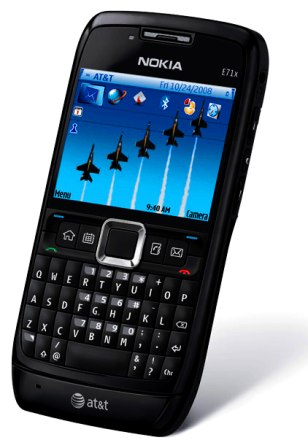
From the main screen type: * # R S T 0 # (that's a zero) -- Or in other words: * # 7 7 8 0 #
- You'll be asked to confirm the reset - YES or NO
- Type in the lock code (usually default is 1 2 3 4 5)
- The phone will clean out the memory and setting and re-boot back to factory fresh conditions
Before you try this, you may want to try:
- Reformat your phone * # 7 3 7 0 # -- this is different from a hard master reset
- LAST RESORT if nothing else is works: If the phone is basically malfunctioning, proceed with hard formatting , turn off your phone and then turn it back on while holding down the * and 3 and TALK (green) buttons while pressing the power button. (again, the default code is 12345 when prompted). Turn on the phone and do not release any of the 3 buttons until you see the Nokia logo on the boot up screen. Once the phone powers up you can let go off the power button BUT STILL HOLD DOWN all three buttons on the keypad.
Hope this helps. Let me know if you have success with it!